A clear view of every job
Manage customers and vehicles, write work orders, set job priorities and deadlines, track statuses, assign a lead technician, and move completed work into the archive.
ShopManagement is an unreleased paid product. Coming soon.
From the first appointment to the final invoice.
Give your technicians, service writers, and owners a shared view of the work.
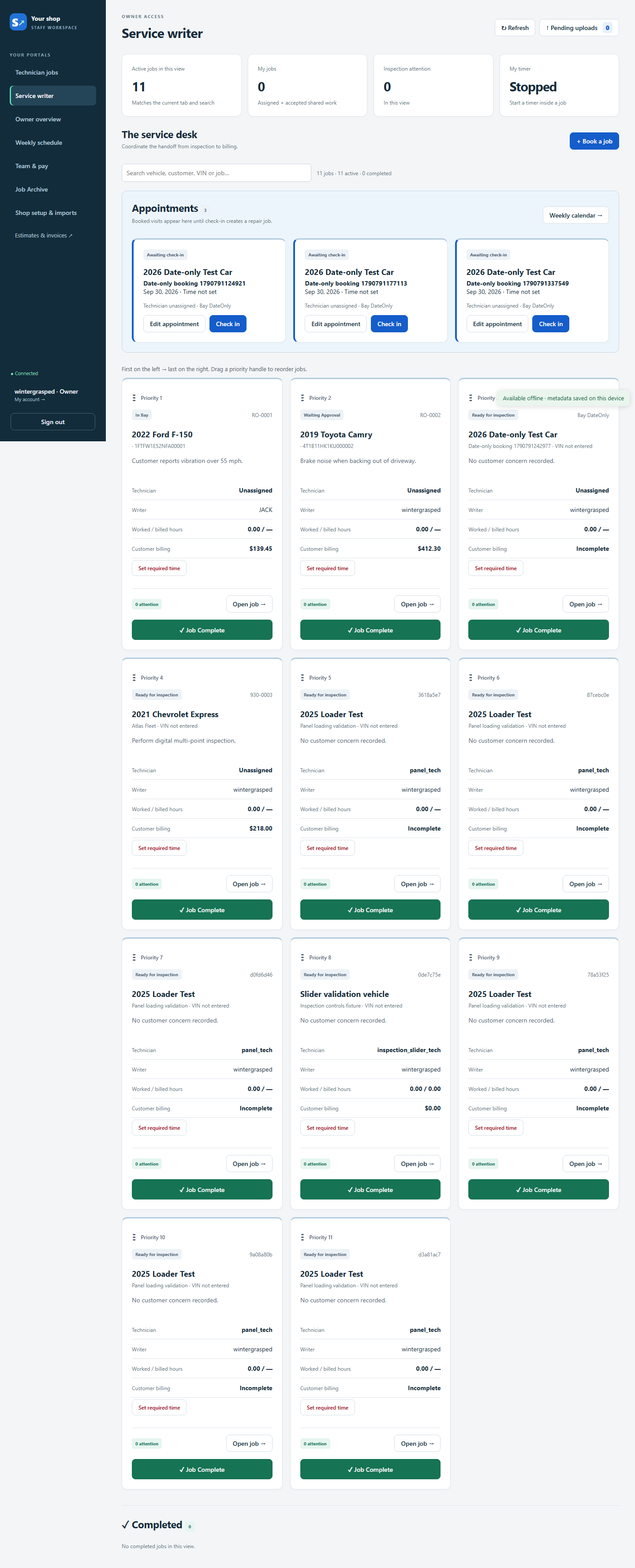
Explore the screenshots. Click any image to zoom and browse. Screens show sample and test workspaces.
Manage customers and vehicles, write work orders, set job priorities and deadlines, track statuses, assign a lead technician, and move completed work into the archive.
Book appointments, check vehicles in, and see the week’s schedule. Keep upcoming visits separate from active repair jobs until check-in.
Assigned jobs, helper invitations, saved job notes, and revision-aware updates keep the team coordinated. Lead technicians and accepted helpers work together on inspections and time entries.
Record condition readings, mark items as needs service, monitor, good, or not applicable, and attach photos. Control which findings customers see and keep internal notes with the team.
Track server-saved technician timers, worked and billed hours, and audited manual corrections. One active timer per technician keeps time entries consistent.
Build parts-and-labor estimates, use imported labor records, configure billing and taxes, and generate branded invoices and job sheets. Saved invoice revisions preserve billing history.
Track parts from needed to ordered, received, installed, or cancelled. Upload invoice documents, review OCR results, and connect reviewed records to the job.
Owner reporting, staff roles, team and pay tools, shop setup, and imports sit alongside the daily workflows. Owners can move among owner, writer, and technician views.
Share customer-visible inspection findings and job information, maintain customer notes, and use authenticated team chat to coordinate the work.
Available offline data and durable pending uploads help during connection loss. Queued changes resume in order, stay tied to the signed-in account, and show conflicts that need attention.
Use shop branding and billing settings. Owners can open the integrated heirowWebUI designer to edit the website, with scoped desktop synchronization and publishing.
Use supported import/export workflows and configure integration providers. Licensed labor, parts, and TRACS connections require their own access and supported contracts; configuration alone does not activate a live connection.