Your people, in your session.
Invite by SocketJack username. Keep project access until the owner revokes it, and reconnect when your collaborator returns.
Instant collaboration. Make music in FL Studio with the people who bring out your best ideas.
In development In closed beta. App downloads require account-linked beta access.
The recording could not load. Choose Play demo to try again.
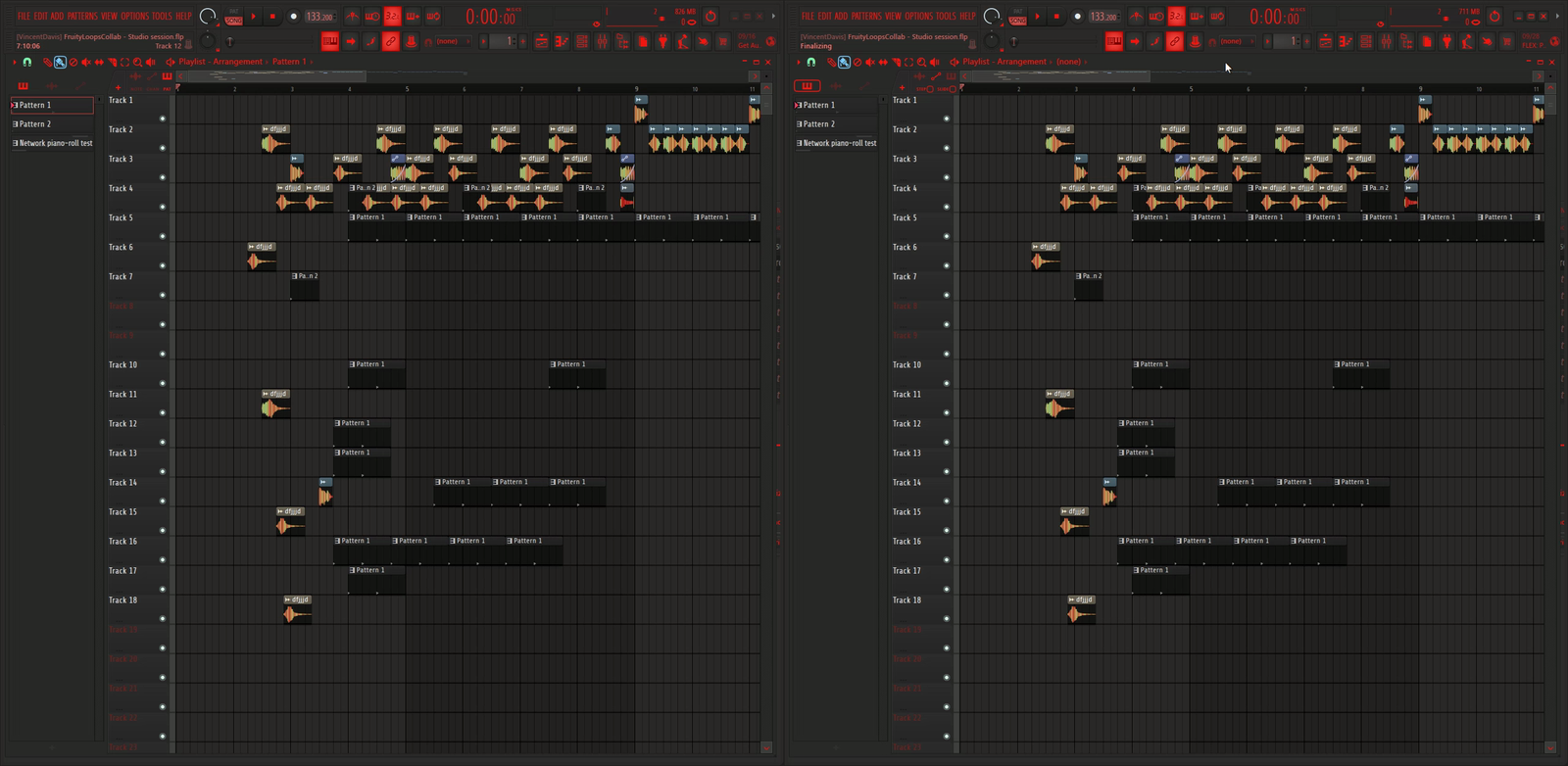
Place and move playlist clips in either FL Studio instance. The changes appear automatically in the other.
Recorded with two FL Studio instances on one computer, at the original playback speed.
Reduced motion is enabled. Choose Play demo if you want to watch the recording.
Invite a SocketJack username, open the shared project and create together. Changes arrive as you work.
Invite by SocketJack username. Keep project access until the owner revokes it, and reconnect when your collaborator returns.
Tempo, piano-roll notes, matching plug-in controls and supported playlist placement share automatically. Review competing edits together.
Shared project snapshots and recovery copies live on the SocketJack server. Choose whether to sync a newer version or make your own variation.
Live placement has been tested on FL Studio 25.1.5.4976. Support for other versions is being developed. Cropping, source replacement and unsupported clip settings pause sharing. This is not ready for a reliable public release.
Keep working projects and recovery copies in Private. Publish a listing or an approved ZIP snapshot when you choose. Cloud folders follow your sharing settings.
Read the beta announcement and join the discussion on Image-Line's FL Studio forum.
Original software screenshots. Open an image to zoom in and read the interface.
Search SocketJack usernames and return to friends or recent collaborators. This session is waiting to reconnect.
Manage shared access and revoke it when needed. The collaborator shown has project access but is not syncing.
Search, pin and revisit saved projects, with recovery copies grouped underneath. This preview shows an offline collaborator.
The current Help screen explains editing limits, reconnecting and recovery. Automation, routing and WAV replacement are still planned.
These original screenshots show offline or reconnecting states, rather than an active live session. The current interface uses the internal name heirowFruityLoops and the Help tab. FruityLoopsCollab is the name for the upcoming public release. Planned capabilities are listed separately below.
These are planned capabilities, not promises that they already work.
Broader arrangement editing, automation, routing and plug-in state, with version-specific validation.
Keep the session audible with a rendered WAV in the correct playlist position when a collaborator lacks a plug-in.
Private, smooth video and audio for collaborators, volume controls and remote playback markers.
Browse public projects freely. Create a free SocketJack account or sign in to download, add or manage projects.
Discover remix projects, download public releases, and manage the projects you own.
Loading projects…
Creators can choose to showcase their projects here. Sign in to find your private and shared projects.
Your shared projects, grouped by the people you've collaborated with. This list is visible only to you.
Sign in with the same SocketJack account you use in FruityLoopsCollab to see your collaborators and shared projects.
We're planning a place to find music creators who can teach you live, right inside a shared session.
FruityLoopsCollab began as heirowFruityLoops: a free VST and desktop companion that brings live collaboration into FL Studio. Created by heirow ↗, with SocketJack for connected sessions and Project-Z for the desktop interface.